For technicians and trades
Turn WhatsApp requests into tasks.
Share the message and Threadboard drafts the task with client, priority and due date. Everything stays on your iPhone.
Coming soon to the App Store
Requires iOS 26 and an iPhone that supports Apple Intelligence.
From message to board, no typing
-
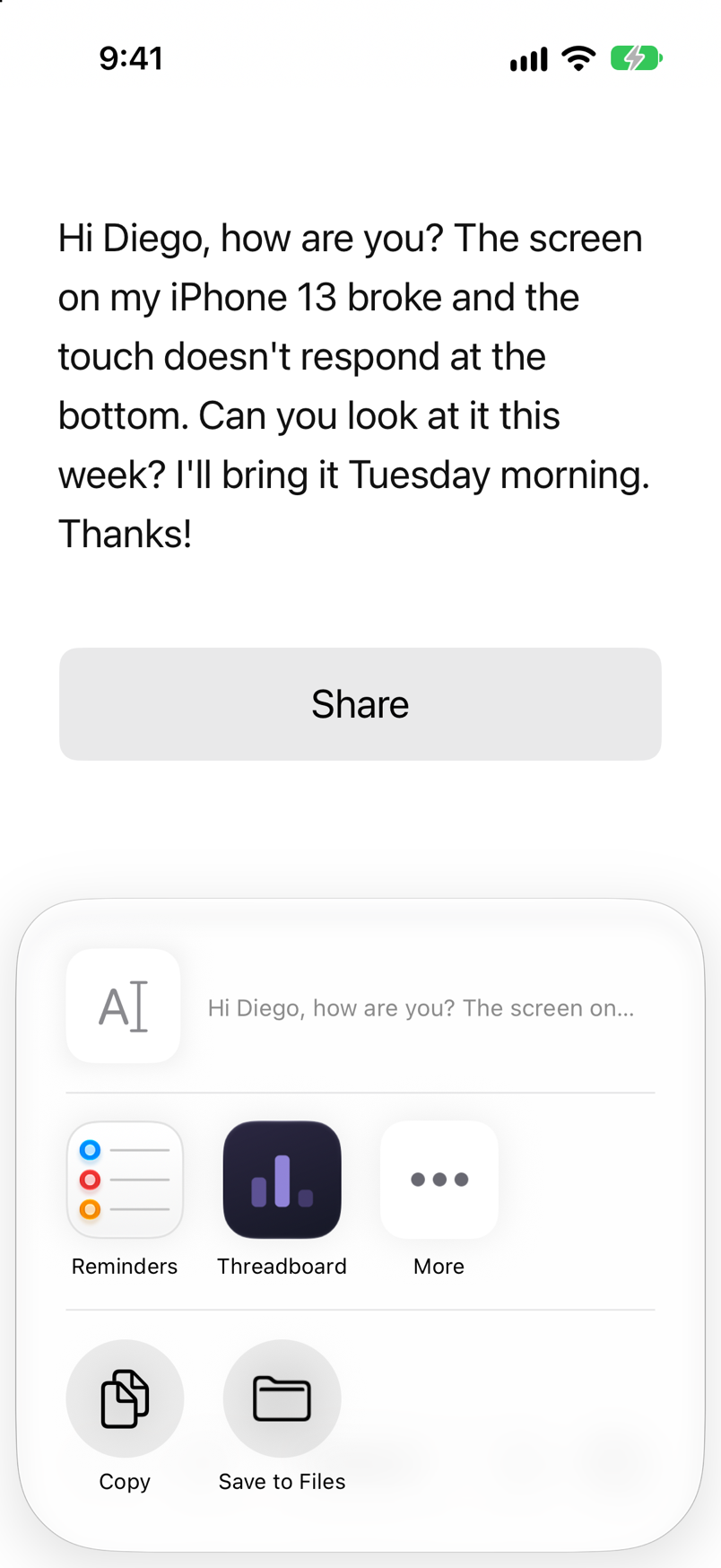
Share the message
Open the request on WhatsApp, tap Share and pick Threadboard. Text, voice notes and photos all work.
-
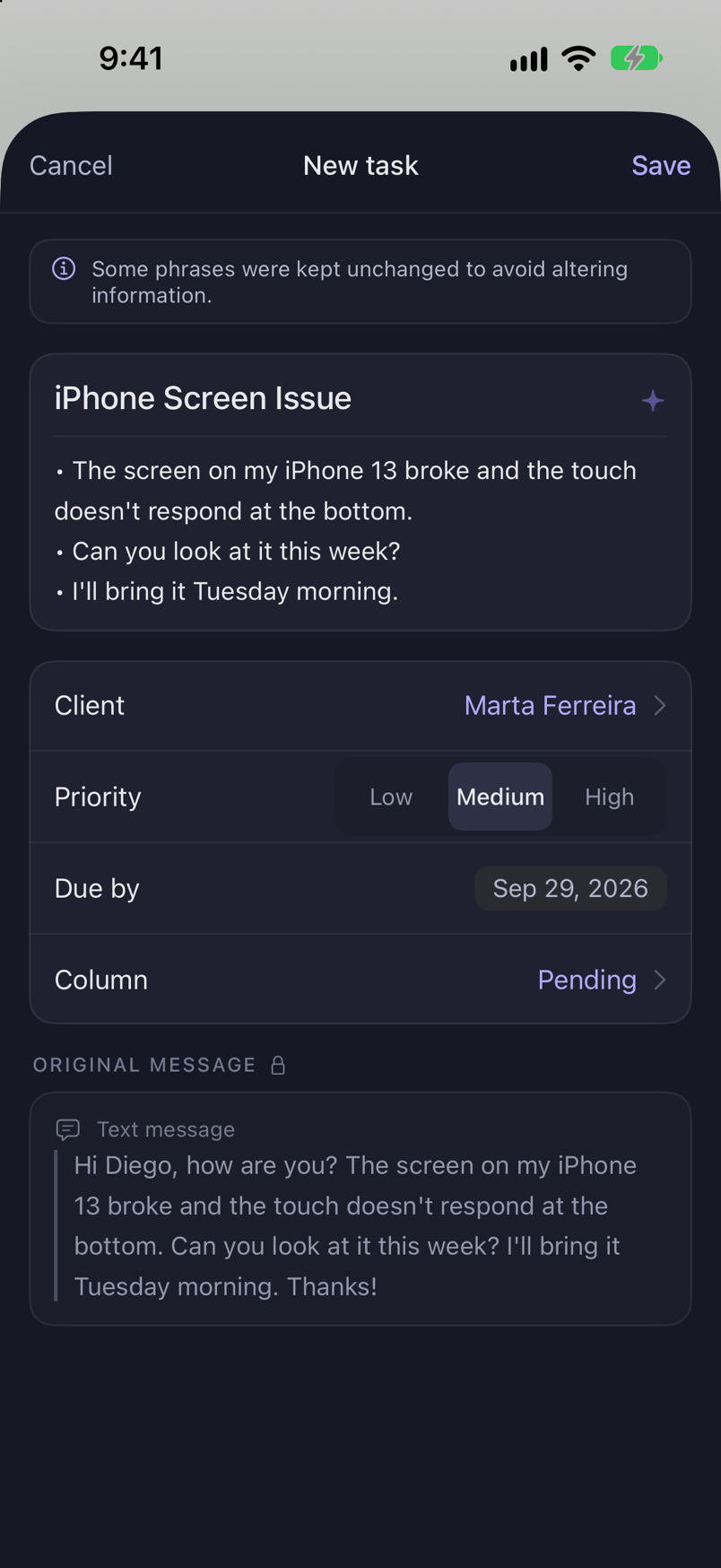
The AI drafts the task
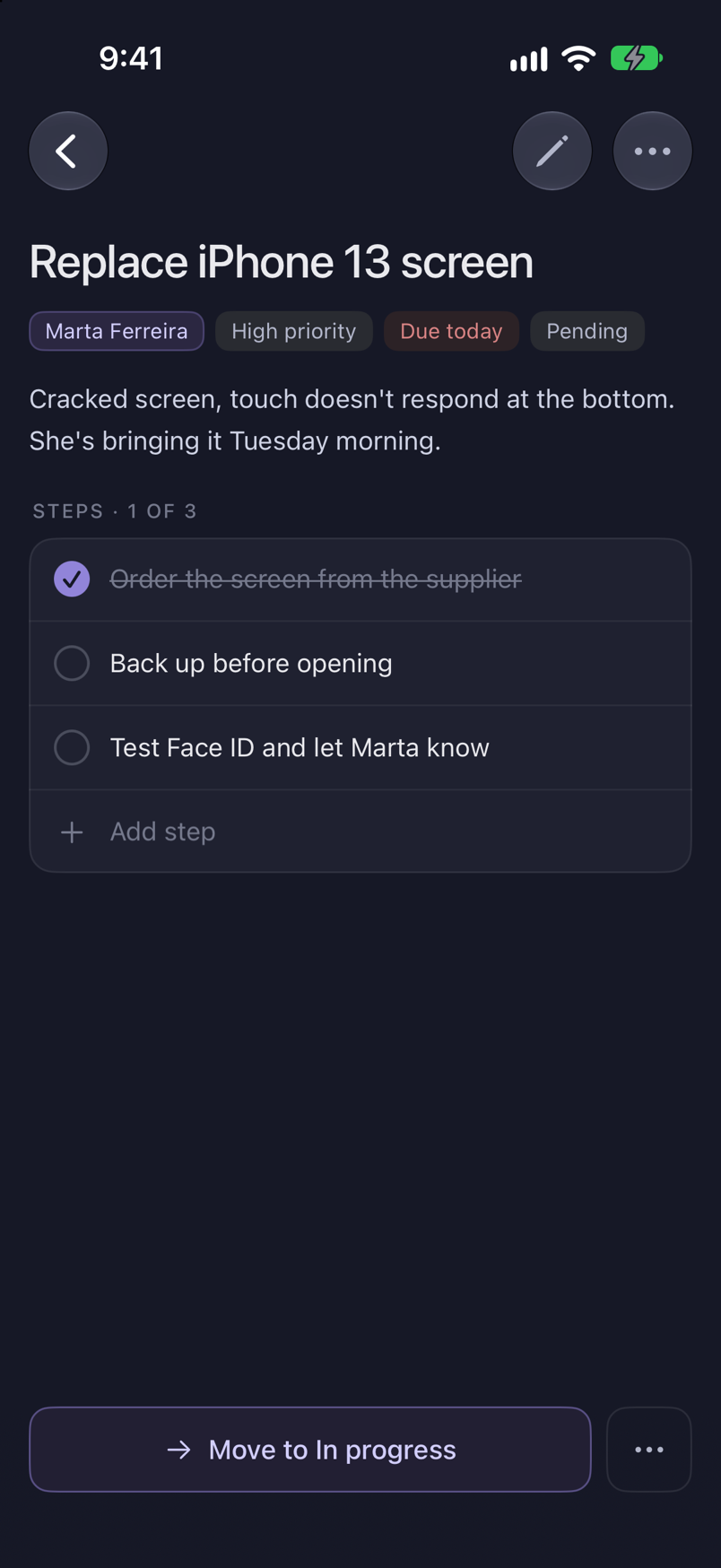
On-device intelligence separates each request, writes a clear title, and suggests the client, the priority and the due date. You edit anything before saving.
-
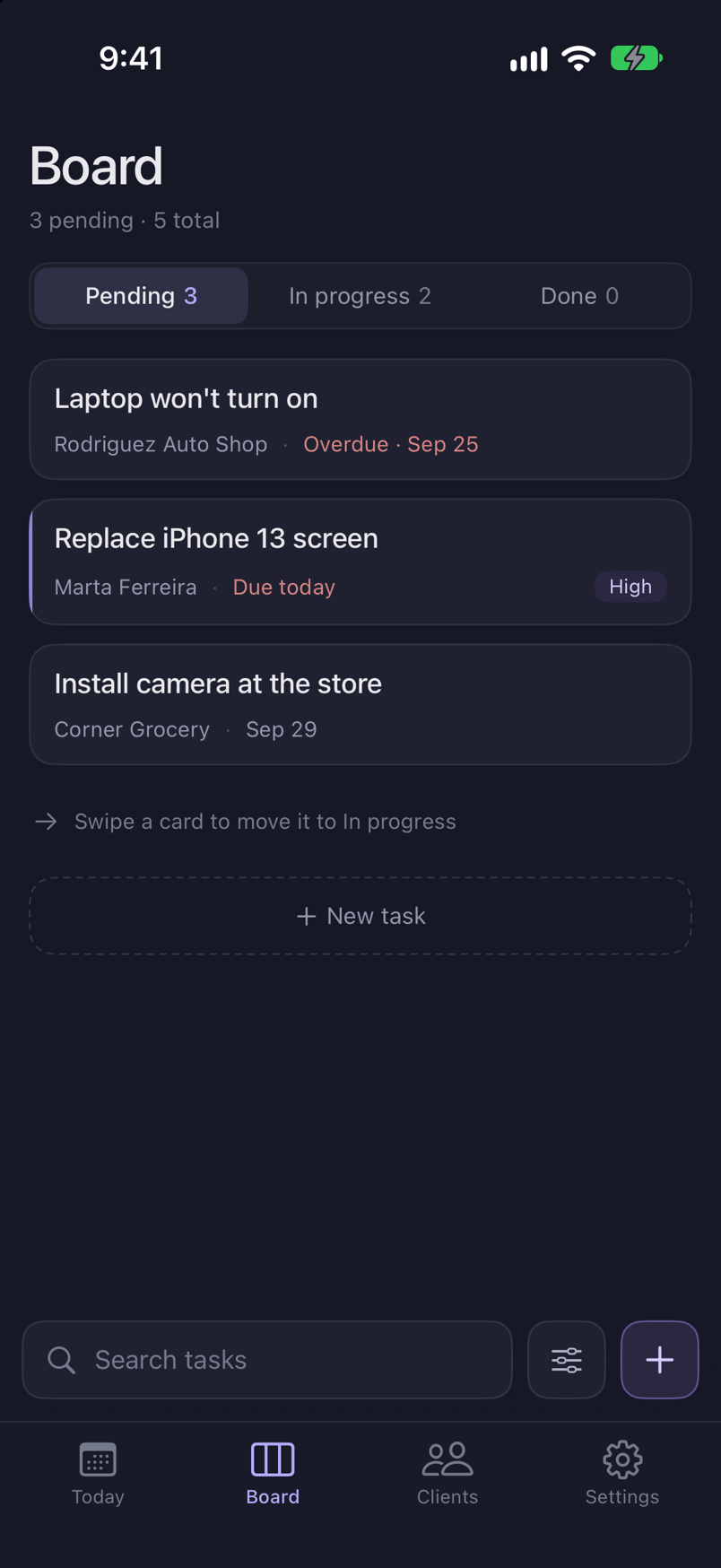
It lands on your board
The task shows up in Pending. Move it forward as you work, and the original message stays attached as evidence.
Built for a day of jobs
One column at a time
Pending, In progress, Done. You look at one, with the counts of the other two always in reach.
Today
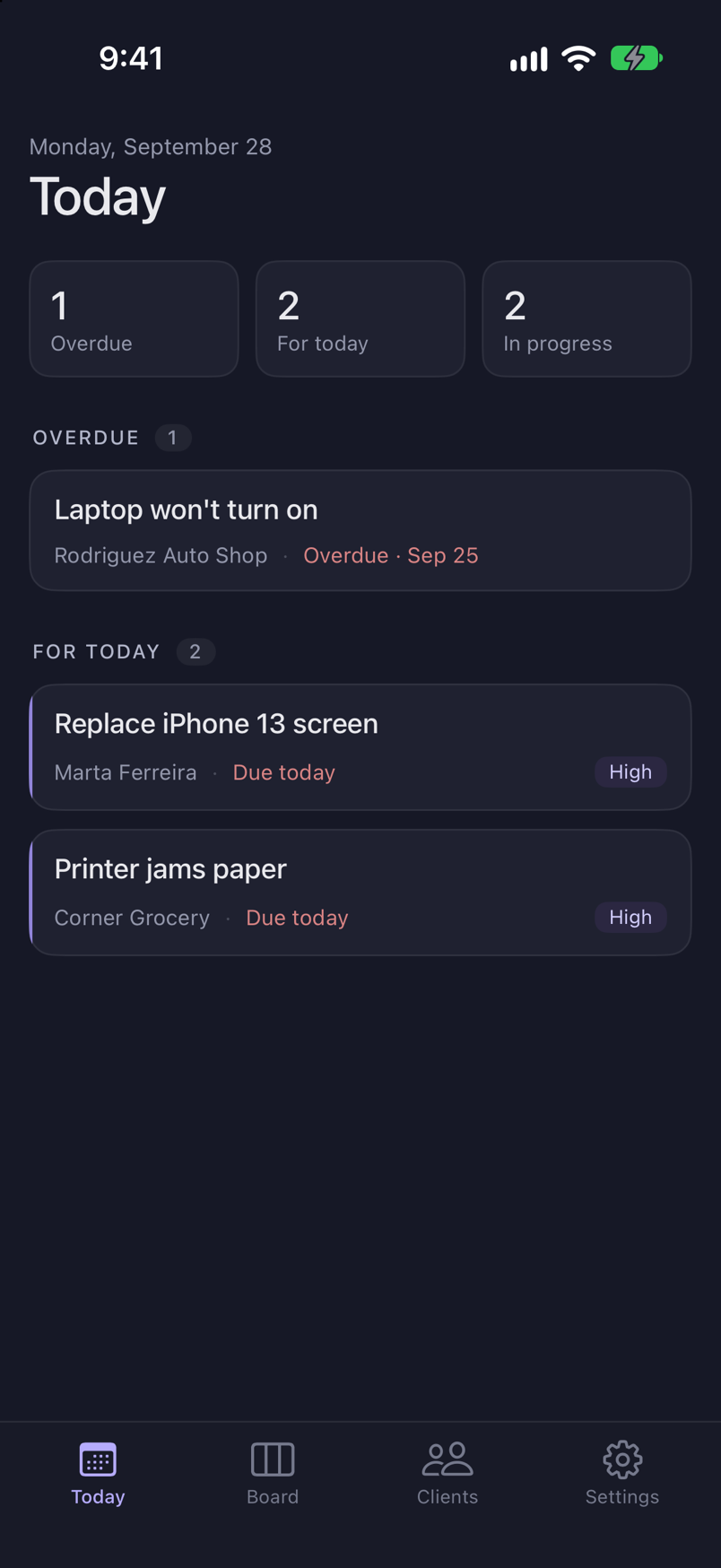
What is due today and what is overdue, in one list, so the morning starts with a plan.
Clients
Every client with their WhatsApp number and their tasks. Open one and see everything you owe them.
Steps and attachments
Break a task into steps and keep the photos, videos, voice notes and links that came with it.
Reminders and widget
A daily summary at the time you choose and a home screen widget with what is due today.
Trash with 30 days
Deleted a task by mistake? Restore it within 30 days. After that it is gone for good.
Everything stays on your iPhone
- No accounts, no servers, no connection of its own. Your tasks and your clients never leave the device.
- The intelligence that organizes messages and transcribes voice notes runs on the iPhone itself, with the features Apple ships in iOS.
- The only thing that goes outside is the subscription payment, and Apple handles that through the App Store.
Your next request is already on WhatsApp.
Give it a place.
Coming soon to the App Store